TikTok Shop integration with e-commerce – WooCommerce, the feed and the 100-product limit
There’s a promise everyone hears when they connect a new sales channel: “one click and everything syncs itself.” It sounds lovely on a slide. In practice, with TikTok Shop, it’s a touch more… manual.
There’s no single magic button that does everything for you, but that doesn’t mean you’re doomed to key in every product by hand until the end of time. You just need to know the available options and consciously pick the one that fits the scale of your store.
What you'll learn from this article
- how the TikTok Shop app store works and what “connectors” are,
- how the three routes to listing products differ: manual, CSV and integration,
- why the integration path depends on your store platform (Shopify vs WooCommerce),
- what the TikTok Shop product feed requires,
- how to set up stock synchronisation so you don’t oversell,
- what the 100-product limit and tiers really mean.
TikTok Shop integration at a glance
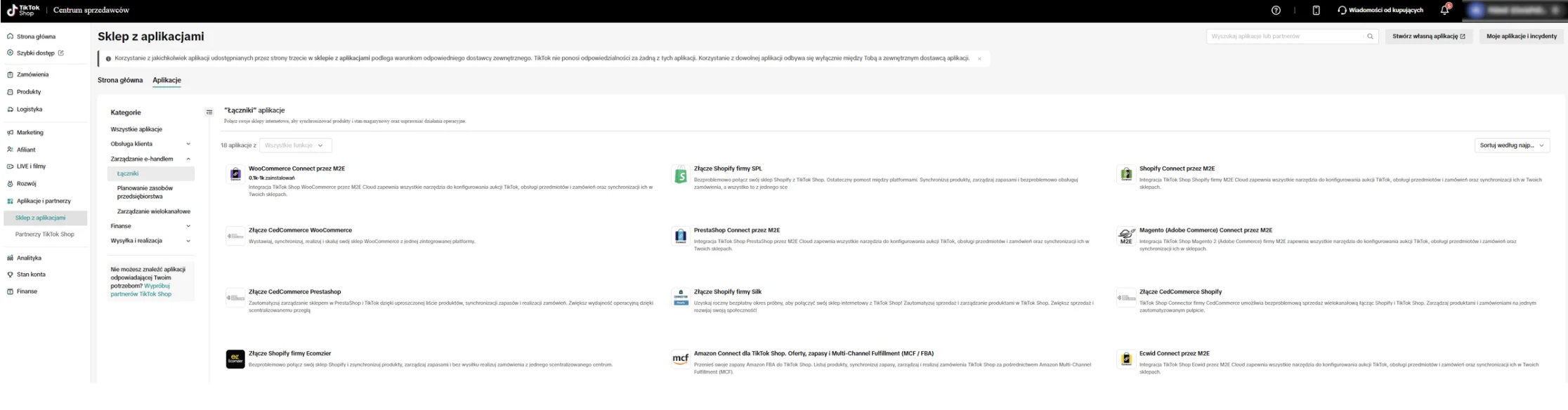
TikTok Shop has its own app store with a dedicated “Connectors” section – integrations that link the platform to your store and sync products, stock and orders. There’s no single universal button, though: the route depends on what your store runs on. Shops on Shopify have it easiest (there’s even an app from TikTok itself). For WooCommerce there’s no native plugin from TikTok – you connect via third-party connectors (M2E Cloud, CedCommerce) or middleware tools (e.g. Channable, or an order manager you may already use). Two simple routes also remain: manual and CSV. One rule is constant: the source of truth for stock has to be your store or ERP, not TikTok Shop. At the start there’s a 100-product limit and a daily order cap – both grow with your shop’s rating.
The app store and "connectors": what's available to you
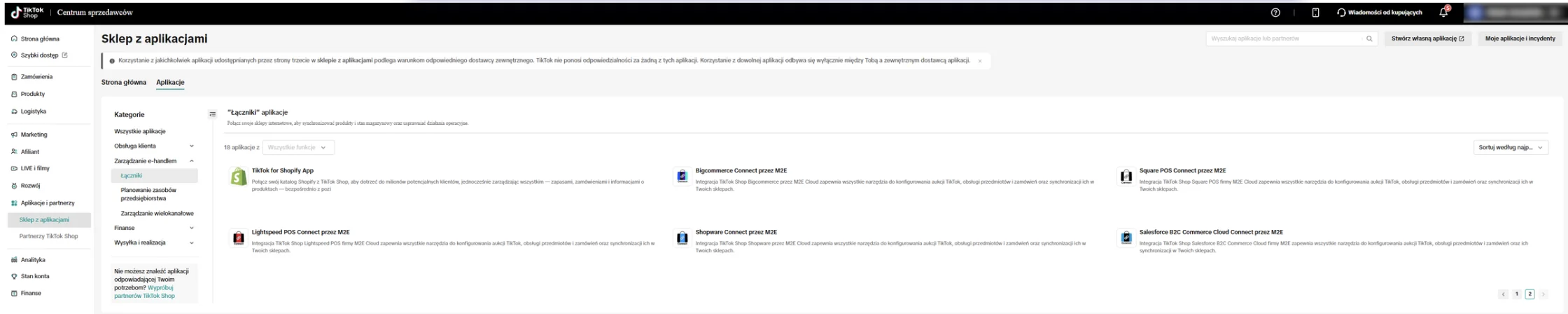
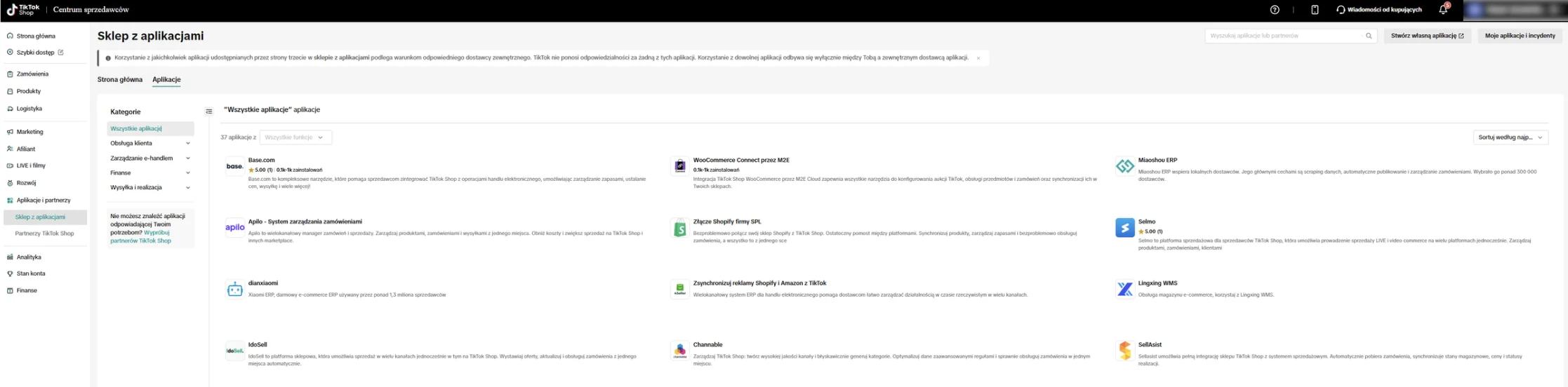
Let’s start with the good news: this isn’t the digital Wild West. TikTok Shop has its own app store with a dedicated “Connectors” shelf – integrations that link the platform to your store and sync products, stock and orders. So there’s plenty to choose from. The less convenient news is that there’s no single magic “connect everything” button, and what your route looks like depends largely on the engine your store runs on.
And this is a distinction genuinely worth understanding before you start clicking anything. If you sell on Shopify, you’ve got it easiest: there’s an app from TikTok itself, and alongside it a whole list of ready-made connectors. If your store runs on WooCommerce (and a great many stores do), you won’t find a native plugin from TikTok itself. That doesn’t mean you’re left with nothing: there are connectors built by third-party providers – like WooCommerce Connect from M2E Cloud, or the CedCommerce connector – as well as middleware tools that some stores already use for other channels (e.g. Channable, or an order/inventory manager).
One note that’ll save you later disappointment: with connectors, TikTok states plainly that the apps come from third-party providers, and it’s with them – not with TikTok – that you have a relationship (and any trouble). Worth keeping in mind when choosing who you trust with your stock synchronisation.
Three routes to getting a product onto TikTok Shop
If there’s no single button, how do you actually do it? You have three routes. Each makes sense – the only question is which scale it fits.
| Method | Who for | Pros | Cons |
|---|---|---|---|
| Manual | small stores, a handful of SKUs | full control, easy to add required category fields | time-consuming, doesn’t scale |
| CSV file | medium catalogues | faster than manual, bulk listing | you have to mind the file structure, no live sync |
| Third-party integration (e.g. M2E Cloud) | e-commerce with live stock | syncs products, stock and orders | less intuitive, needs configuration, can lag |
Let’s be honest: if you run a small store with a dozen or so products, listing them manually will take you one afternoon, and it’ll give you full control over every detail along the way. The barrier to entry here is genuinely low – and it’s one of TikTok Shop’s bigger advantages for smaller players.
The difficulties start with larger catalogues and stock that lives a life of its own. That’s when integration comes into play – a connector or middleware tool from the previous section, matched to your store’s platform.
We’ve worked with M2E Cloud and – to put it plainly – it doesn’t win any prizes for interface of the year. But it does the job: it links the store to the platform and syncs what matters most. You just have to learn it, and arm yourself with patience for the first sync, because it can take a while.
💡 Before you decide, count the time, not just the money. Integration costs a bit of learning up front, but with a larger catalogue it pays back with every hour you don’t spend correcting stock by hand.
The product feed: what TikTok Shop requires
Here’s a surprise for many sellers: the structure of the TikTok Shop product feed is quite particular and won’t accept just anything. Before a product even appears on the platform, it has to have a complete set of data.
The basic set is:
- product name/title,
- category,
- weight,
- size,
- brand – and note, because this field can be required even if you don’t normally use a brand; its absence can stop the product at the gate,
- price,
- description,
- photos that match the actual product.
And one more thing, easy to forget with automated uploads: not all categories are treated equally. Some require additional information – a photo of the label, a certificate or a special declaration. Importantly, some integrations can “skip” the validation of such fields, which is tempting but not entirely in line with the rules. Better to do it properly than to explain yourself later. The full list of category requirements – including the unusual ones – we lay out in the piece on the product listing and categories on TikTok Shop.
Stock synchronisation: a single source of truth
This is the heart of the whole integration, so let’s pause here for a moment. Picture the worst-case scenario: a product is selling on TikTok like hot cakes, and you physically don’t have it on the shelf any more, because the stock never came down from the warehouse. The result? Cancellations, unhappy customers and – something that hurts double on TikTok Shop – a drop in your shop’s rating, which feeds back into reach and limits. Overselling isn’t a slip on one order. It’s a scratch on your reputation.
⚠️ The single source of truth for stock has to be your store (e.g. WooCommerce) or ERP – never the other way round. TikTok Shop should reflect your stock, not manage it.
A good integration should allow for:
- exporting products to TikTok Shop and updating prices,
- syncing stock levels both ways,
- pulling orders from TikTok Shop into your system,
- automatically reducing stock after a sale,
- updating order statuses,
- handling variants and mapping categories and attributes.
A small operational note that ties into logistics: tracking numbers on TikTok Shop are often entered manually (native carrier integration varies by market), and statuses travel from there to the platform. It’s worth having this sorted in your order-handling process before sales begin.
The 100-product limit and tiers – your store in "levels to unlock" mode
New sellers start with a 100-product limit and a daily order cap – at the lowest tier that’s around 20 a day. Before you call it absurd, a small comfort: these limits grow. TikTok Shop works a bit like a game with levels here – the better you run the shop (punctuality, service quality, ratings), the higher the tier you unlock, and with it the bigger limits.
For a small store this is no problem at all, and even a convenience – you start fast, without being overwhelmed. For a larger catalogue the limit means one thing: at first you list your best 100 products, not everything you have. Which, incidentally, is a smarter strategy on this channel anyway than dumping the full catalogue (more on this in the TikTok Shop guide).
The exact thresholds for each tier are worth checking in the TikTok Shop Academy knowledge base, because they can change – and they differ not only in the number of products, but also in the daily order cap.
Before you list everything – do this one test
The temptation is always the same: upload the products, click “publish” and go for a coffee with a sense of a job well done. We’d advise against it. First run a small test that’ll save you a lot of nerves later:
- List one product with a small stock level.
- Run a test order flow.
- Check that the stock came down correctly from your system after the sale.
If the stock came down as it should – congratulations, you have a working integration and can scale. If not – you’ve just avoided overselling your entire warehouse in full view of the platform. That’s five minutes that can be worth more than the whole rest of the configuration.
What next?
Integration is the operational foundation, but the foundation alone doesn’t sell. Next steps:
- work out the profitability of the products you’re uploading → TikTok Shop commission and costs,
- polish the listings of your chosen items → product listing and categories,
- launch content, live and affiliate, because those are what drive results → live commerce and creator affiliate.
You’ll find the whole picture of the channel in the guide: TikTok Shop for e-commerce. And if you’re only just setting up an account – start with registration step by step.
FAQ
Does TikTok Shop have an official plugin for WooCommerce? TikTok itself doesn’t provide a native plugin for WooCommerce. In the TikTok Shop app store, though, you’ll find connectors built by third-party providers (e.g. WooCommerce Connect from M2E Cloud, or the CedCommerce connector), and you can also upload products manually or via CSV. For Shopify there’s a separate app from TikTok itself.
How do you connect TikTok Shop with WooCommerce or an order manager? Through a connector from TikTok’s app store (e.g. M2E Cloud, CedCommerce) or through a middleware tool you may already use (e.g. Channable). Each syncs products, stock and orders. Make sure the source of truth for stock stays your store or ERP, with TikTok Shop only reflecting it.
Is integration easier on Shopify? Yes. Shopify has the most ready-made routes – including an app from TikTok itself – so connecting a store is usually simpler there than on WooCommerce, where you use third-party connectors or middleware.
Do stock levels sync automatically? Only if you configure an integration that supports it. Without one you risk overselling – selling a product you physically no longer have.
Can I upload products with a CSV file? Yes. It’s a good option for medium catalogues, but you have to mind the file structure, and CSV doesn’t provide live stock sync.
Is integrating TikTok Shop with a store paid? Connectors in the app store come from third-party providers (e.g. M2E Cloud), so some of them are paid – most often on a subscription model. You then settle with the tool’s provider, not with TikTok, and it’s with them you sort out any technical problems.
About the author
Hubert Grygielewicz – A Paid Social Specialist with several years’ experience across domestic and international markets. He specialises in combining the technical side of ad accounts – structures, settings and optimisation – with testing creative approaches, checking how specific settings affect results. After hours he photographs concerts and festivals. Find him on LinkedIn.
See other articles


How to start selling on TikTok Shop – step by step